5 min. build up your SIM CITY . buy now

Sunday, February 25, 2018

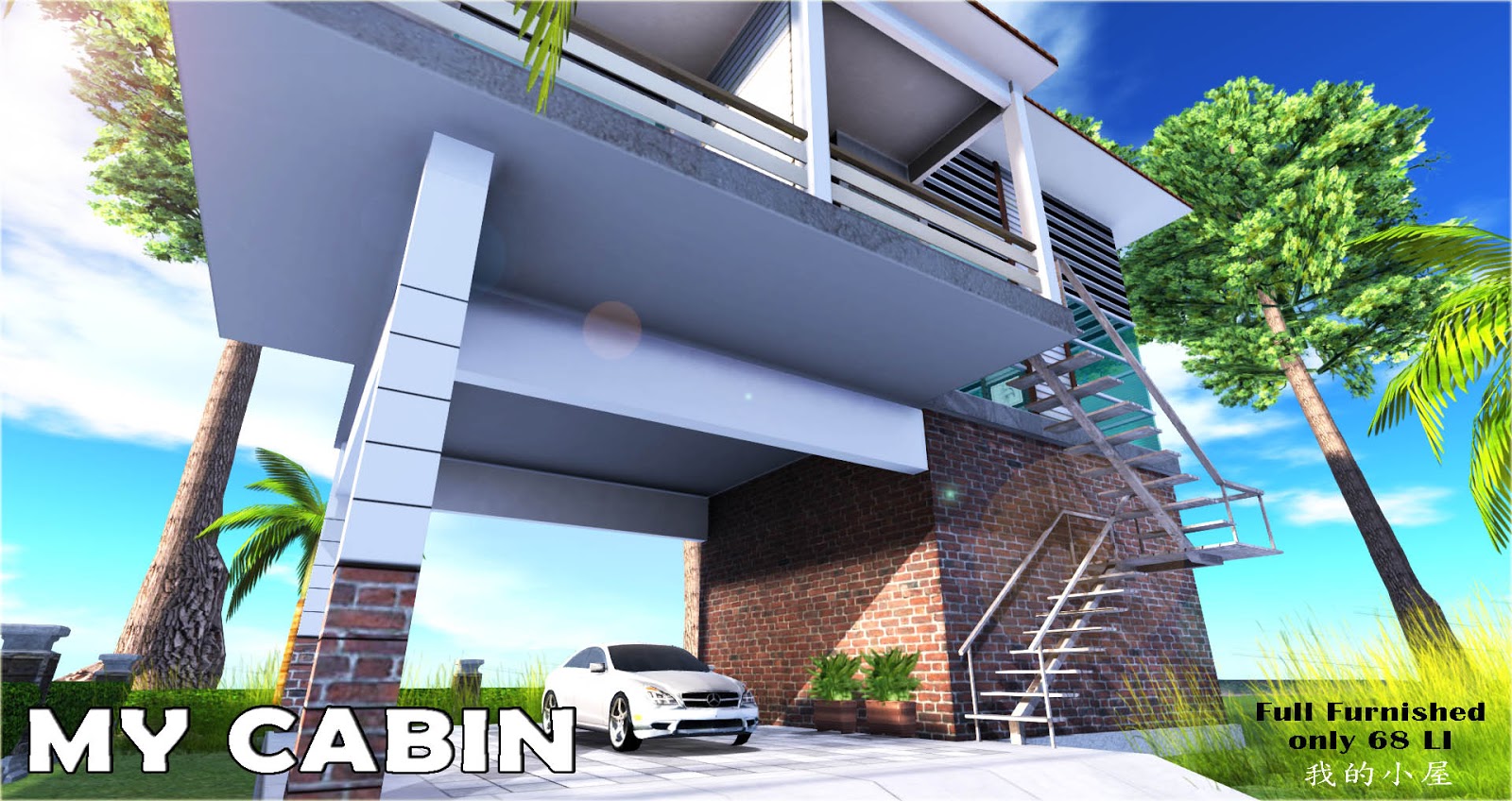
My Cabin

By Lim Pikajuna


Click HERE to see item in world Second Life

Click HERE to buy at SL- Market Place

FEATURES [ please watch tutorial Video ]
-Using AUTO-REZ FAUX system
-use Machess Multi-scene House Controller
-2 story
-100% Mesh
-Texture map including in [object content]
- 15mX 23mX 20 Meters tall
-62 land impacts for Structures and Full Furnished




INTERNAL
-Master Bed Room
-Bath Room
-Living Hall

EXTERNAL
- Car port
- Balcony
- Stair


HOUSE
-super large LED TV and cabinet
-LCD TV at bedroom and cabinet
-Cex Bed [600animation pose ]
-Living set /sofa set

-Bath Room
-Security system.[ remember click off  when rez a cabin]-controller
-windows blind -use house controller
-balcony :note card and massage giver.visitor list
-Fan- use house controller
-light -use house controller
-door bell
-fireplace -use controller
-Prim counter- controller
-23 x15m Base/Footprint(good to fit at 512 sq.meter land)
-Included Auto send welcome note , so you can keep track of who enters the balcony


-Comes fully copy able and Modify able [resize a mesh could increase the prims count]
-Except all pose and script can not modify
-New, Modern, and original Architecture
-No refunds on Copy able Items.

** Secure System**
remember to click "off" after rez the Cabin.[it work only for your own land]
right click the controller -select edit link- select secure system-
goto content -open the white list - type the name who you allow to enter
into your land and cabin.


** fireplace **
use house controller to ON/OFF the fire

** Windows and door **
use house controller to access to  the owner, group or public

** Prim Counter **


work only for your own land.

** Bed Detail**
click THE LINK

** Bath Room**
click THE LINK

** Living Set **
click Link

How to Rez  :- watch Video


**WARNING**
use Viewer 3 or some else viewer capable for mesh house or mesh item.
resize a mesh could increase the prims count.not like normal prims
Mesh textures dont work like textures of prims, because usually mesh have only some faces or just one.
be careful how you change and modify your home.


Saturday, February 24, 2018

SKY IV Discotheque Version 1.0

by Lim Pikajuna


watch Video HERE
buy in SLMarketplace  click HERE
Click HERE to see in world SL

**********Discotheque SKY IV ********

very Low prims and easy setup..only one click.
(full furnished and deco)including DJ gear,bar counter, table,Dance pole and stool ,disco light.....Please Visit in world and test the lighting console ,there have many color and design.

# Prim count: 343 prims [Fully  furnished]
# 19 Meters tall
# 40 meter X 50 meter  good for 4096 sq m land.
#  2 floor
# Lounge sofa, bar table/stool with sit poses over 100 seat at club.
# Multi lighting dance Floor ...change color patten  [watch video]
# animated speaker
# Lighting console
# fog machine.
# Dance ball  machine [34 dance animations]
# DJ gear  with DJ animation Pose.
# Lounges with Barmen animation pose
# Free beer given
# Dance pole [Free dance poles 17 animation poses]
    please watch video to setup the Dance Pole animation

Click HERE to watch the setup dance pole  Video
:- http://youtu.be/yT_cGFPpl00

# 15 channel radio station [URL editable]
# please watch the video how to operate the lighting ..click HERE

http://youtu.be/xURaa_gOe_4

-Comes fully copyable and Modifiable for SKY IV structure
-Except some free items is not copy and modify
-New and Modern Architecture
-No refunds on Copyable Items.


HOW TO REZ THE SYK IV USE REZ-FAUX SYSTEM

1) Take out (Package Crate)from your invertory put
it at your land center or sky ( where do you want to put your SKY II)
2) Click on the Package Crate and select 'Rez'.
3) Edit the Package Crate and move it to adjust the location of the build.
4) Click on 'Derez' to put the build away(delete) or
5) click 'Save' to lock that build into place. Once it is saved, it cannot be
moved again or Derezed.


Troubleshooting

Here are some basic troubleshooting tactics to get you started:

The structure is scrunched against the ground.If the pieces would
end up below the ground, they'll "give up" and sit at ground level.
Move or rotate the Rez-Faux object to lift them out.

The structure is scrunched against the sim border. If you're at the
very edge of the world, the pieces may try to fall off into the void,
but they'll stop themselves before they go that far.
Move or rotate the Rez-Faux object away from the edge of the
world to fix this

I lost a piece of the structure!
If your pieces end up over a neighbor's plot with autoreturn on,
they may return to your inventory.
Just Derez the structure, move the Rez-Faux object, and re-rez it.

NOTE: If you do not 'Save' a build you have 'Rez'ed it will
disappear when the Package Crate is removed.Be sure to
'Save' when finished in order to conserve sim resources,


SKY II V2


Visit the skyII in world click Here

click here buy at Sl Marketplace L$5000 ...now special offer 50% off....L$2500.


SKY II DISCO CLUB
(full furnished and deco-127 land Impact)
watch video here:-https://www.youtube.com/watch?v=vq3JXgEPSYw

FEATURES    [ use Auto rez-Faux ]

-2 floor:-

-25 Meters tall

-35x35m  Base (good to fit at 4096 sq. meter land)

-127 Prims(SKY II Ship Structure+ Furnished)

-2nos Teleport


Free Item:-

-Lighting console and fog machine
  all lighting and fog control with this console.
-Full set bar counter and Bartender animation pose-click table to start bartender animation.]
-Beer given free with drink animation pose[C/M/T]
-Full set sofa ,table,plant and bar stool [with 15 sitting pose ]
-Flashing and sparkling dance ball with 35 animation poses
-Full set DJ gear:-

                           a.DJ counter with colour LED light
                           b.CD music deck and CD mixer[menu-driven...15 radio station]
                              [can add more  station  in notecard  and get the URL here:-
                              http://secondlife.mitsi.com/Secondlife/posts/streaming/
                           c.2 nos CD player
                           d.DJ table with DJ animation pose[click table to start DJ animation pose]
                           e pairs hanging animated speaker
                  

-Comes fully copyable and Modify able for  SKY II structure
-Except some free items is not copy and modify
-New and  Modern Architecture
-No refunds on Copyable Items.


Old Fishing House with dock

by Lim Pikajuna

Click HERE to buy at SL MarketPlace

Click HERE to see item in world SL


2 Story Fishing House with Dock

[Swamp House]
#100% MESH
#15 land Impact
# size 15 meter X 23 meter good for 512 land.
#[full perm] texture map is in the item content.
#Copy and modify version - you can size and change texture /color
#Low LOD
# Free sculpted Tire Bumper [copy and modify]
# Free -given,welcome note and visitor list script [ full Perm]
[ setup your welcome note and given your landmark
so you can keep track of who enters the building.]


# Fishing House 2 [8 pcs Structure Link]=38 Land Impact

   1. Ground Floor structure
   2. 1st Floor Structure
   3. Roof Top
   4. Roof
   5. canopy
   6. Pillar
   7. footbridge
   8. Staircase


Water Jazz Lounge 3.0

by Lim Pikajuna

Click HERE to buy at SL Marketplace.
Click HERE to see in second life

#100% Mesh
#158 Land Impact [Building Structure and bridge]
# use Club Controller to rez all furniture and stuff
   all 81 land impact
#Size 26m x 28 m
 # hanging footbridge [free bonus]

 #Furniture#
#dance floor with  dance ball with animation dance poses
#Bar counter with bartender animation poses
#piano/play piano music with animation poses
#round sofa with setting poses
#main entrance
#4 unit VIP room
   a.TV/Cabinet
   b.2 set round sofa with 4group sitting poses
   c. round dance platform  with pole and disco light.


 How to rez the Jazz Lounge use Auto-Rez Faux System

1) Take out [Rez-Jazz Lounge V3.0] (Package Crate)from your inventory
put it at your land center ( where do you want to put your lounge)move it up 15 meter high

2) Click on the Package Crate and select 'Rez'.

3) Edit the Package Crate and move it to adjust the location of the build.

4) Click on 'Derez' to put the build away(delete) or

5) click 'Save' to lock that build into place. Once it is saved, it cannot be moved again
or Derezed.

NOTE: If you do not 'Save' a build you have 'Rez'ed it will disappear when the Package Crate is removed. Be sure to 'Save' when finished in order to conserve sim resources,